Win the work
Quotes your customers can say yes to.
Put a quote form on your website or send a link. Most jobs are priced the moment the customer submits, and they approve it online, pick a date and agree your terms. Nobody retypes a thing.
Every Pro feature · no card needed
Online quotes on every plan. Instant prices, packages, discount codes and follow-ups from Grow. See pricing
Real Crewbee screens · demonstration data
Quotes & online booking
A quote form on your own website
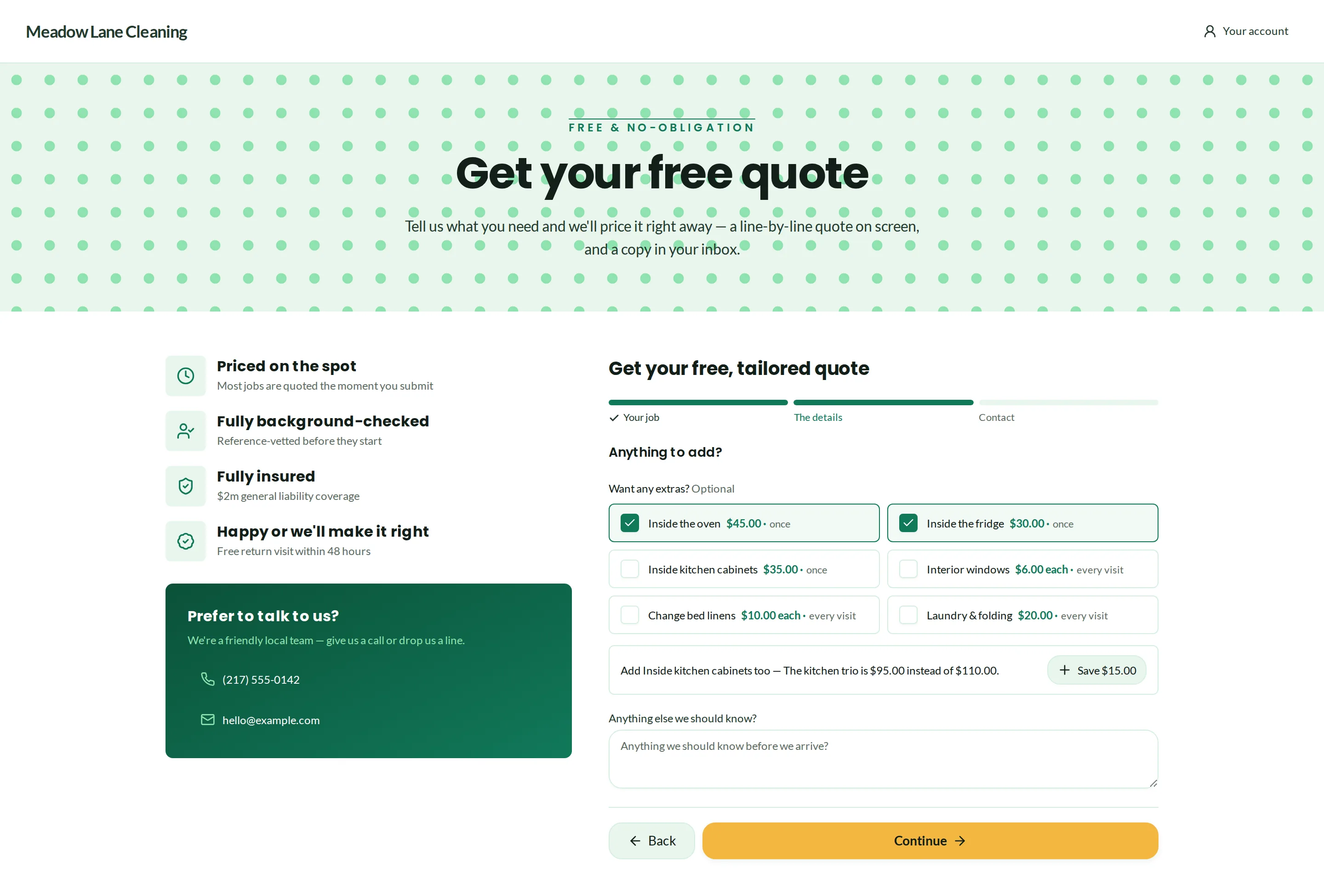
Paste the form into any website with a short snippet, with a step-by-step guide for WordPress, Shopify and more, or share it as a link or a QR code. It asks for the ZIP code and the service first, then the extras, your own questions and the customer's details.
- Tells people right away when you don't cover their area
- Every request lands in one list of leads
- Your questions, asked before the quote and again before the visit
Quotes & online booking
Priced the moment they ask
Instant prices come from your own price list: hourly rates, fixed prices, extras and minimums. Only prices you've confirmed go out on their own. When a customer's note asks for something unusual, the quote waits for you instead.
- Fixed-price packages customers buy online, with a deposit
- Extras and suggested add-ons on the quote
- Discount codes, typed in or applied from a link
Quotes & online booking
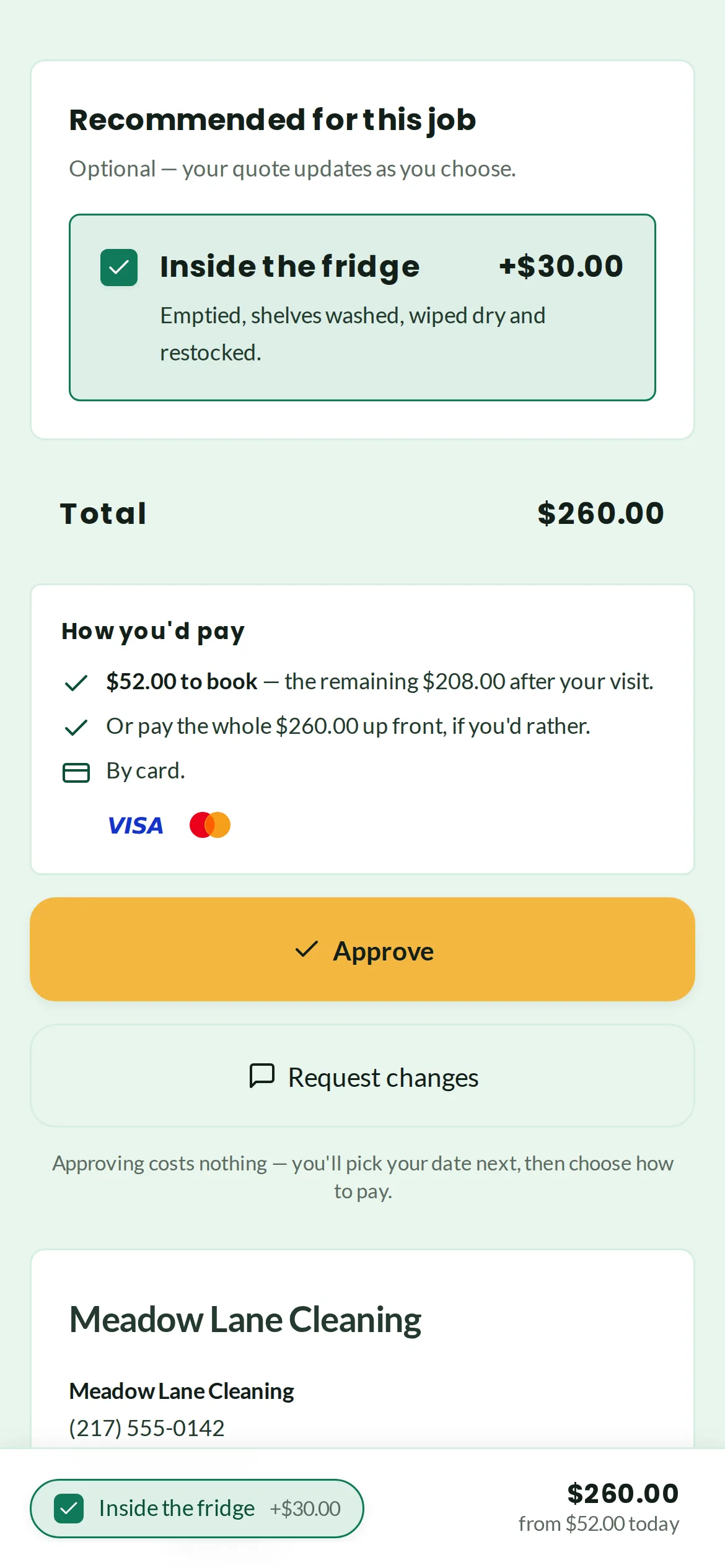
Approved online, booked straight in
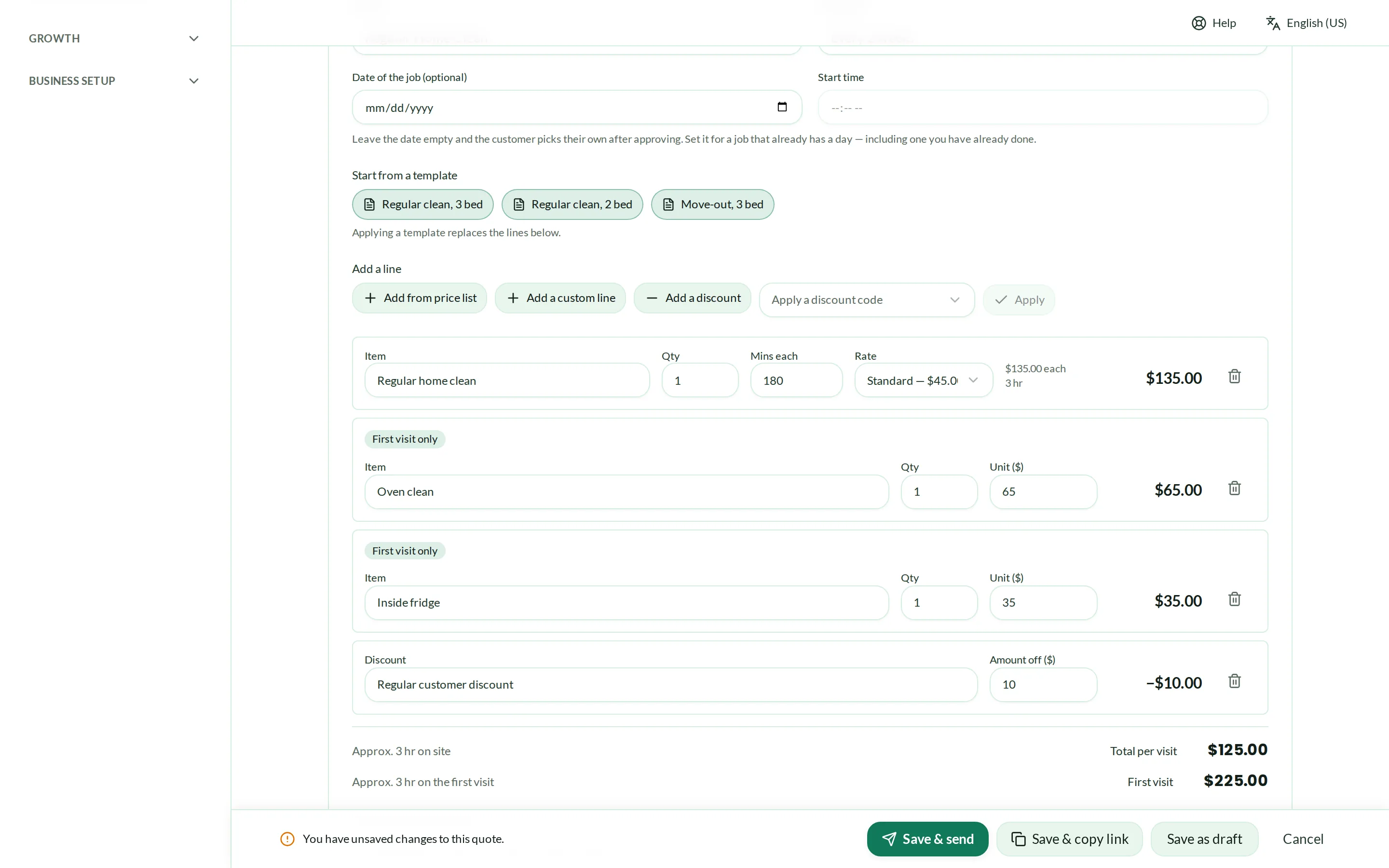
The customer sees the quote line by line, approves it or asks for a change, picks a date and agrees to your booking terms. The job is then on your calendar with nothing to copy across.
- One quote for several properties, for landlords and agents
- Switch on follow-ups after a day, three days and a week when a quote goes quiet
- A printable quote and a 30-day validity date
Questions
Questions, answered
Do I have to let quotes go out on their own?
Can a customer change the quote?
Does it work with the website I already have?
More in Win the work
Run your cleaning business from one place.
Every Pro feature · no card needed