How to add online booking to a cleaning website
Paste a quote form into the website you already have: it's a short snippet, with a step-by-step guide for WordPress, Wix, Squarespace and Shopify. Customers fill it in on your site, then approve the quote, pick a date and pay from the link it gives them.
Updated
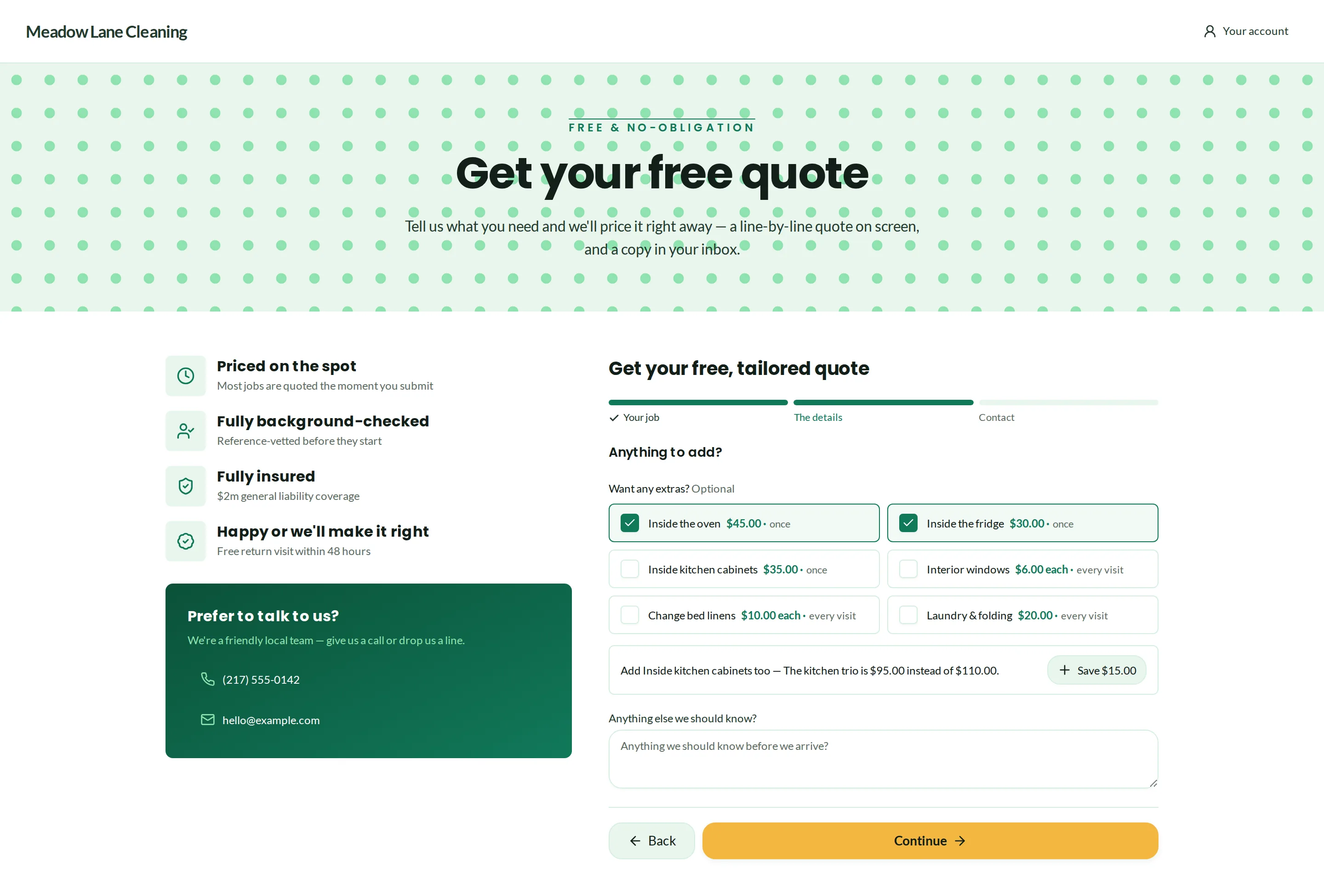
Real Crewbee screens · demonstration data
1. Copy the snippet
In Crewbee, open Leads, then the Quote form tab. The snippet is two short pieces: a place on the page for the form, and the script that loads it. It's there on every plan.
2. Paste it into your site
Put it on the page where you want people to book, following the guide for the way your site is built.
- WordPress: a Custom HTML block
- Wix or Squarespace: a code or embed block (on Wix, make the box tall enough, because Wix doesn't let the form resize it)
- Shopify: a Custom Liquid section
- Any other site: anywhere in the page's HTML, or a plain frame where scripts aren't allowed
3. Set how it looks
In Appearance, set the form's accent, background, text and button colors, its spacing and its corners to sit well on your site. Every copy of the form updates when you change them, and it picks up on its own whether your page is light or dark.
What your customers get
The same form a Crewbee website has: the service and the ZIP code first, then the extras and your own questions. With instant prices on Grow and Pro, the price appears seconds after they send it; on Starter, you send the quote yourself. Then they approve it, pick a date and pay, and every request lands in one list of leads.
No website yet? Share the form as a link or a QR code, or start with the website that comes with your plan.
Questions
Questions, answered
Can I add online booking to Wix or Squarespace?
Does it work with WordPress?
Do I have to move my website?
More guides
- An instant quote calculator for your cleaning website
- A cleaning business website with online booking and payments
- Wix vs Squarespace for a cleaning business
Every guide here starts in the same place: the cleaning business website builder, where you type your business name and see your own site.
Price
From $15/month
Billed yearly, plus $6 a month for each team member. You're always included.
Try every Pro feature for 30 days before you pay. No card needed to start.