Get found
Know which ads brought paying customers.
Paid jobs and phone calls that came from your ads are reported back to Google Ads, so you can see what your ads brought in for what they cost, and Google can find more people like the ones who booked.
Every Pro feature · no card needed
The tracking works today. It is becoming an add-on for Grow and Pro, with the illustrated setup guide. You run your ads; Crewbee sets up the tracking and reports on them. See pricing
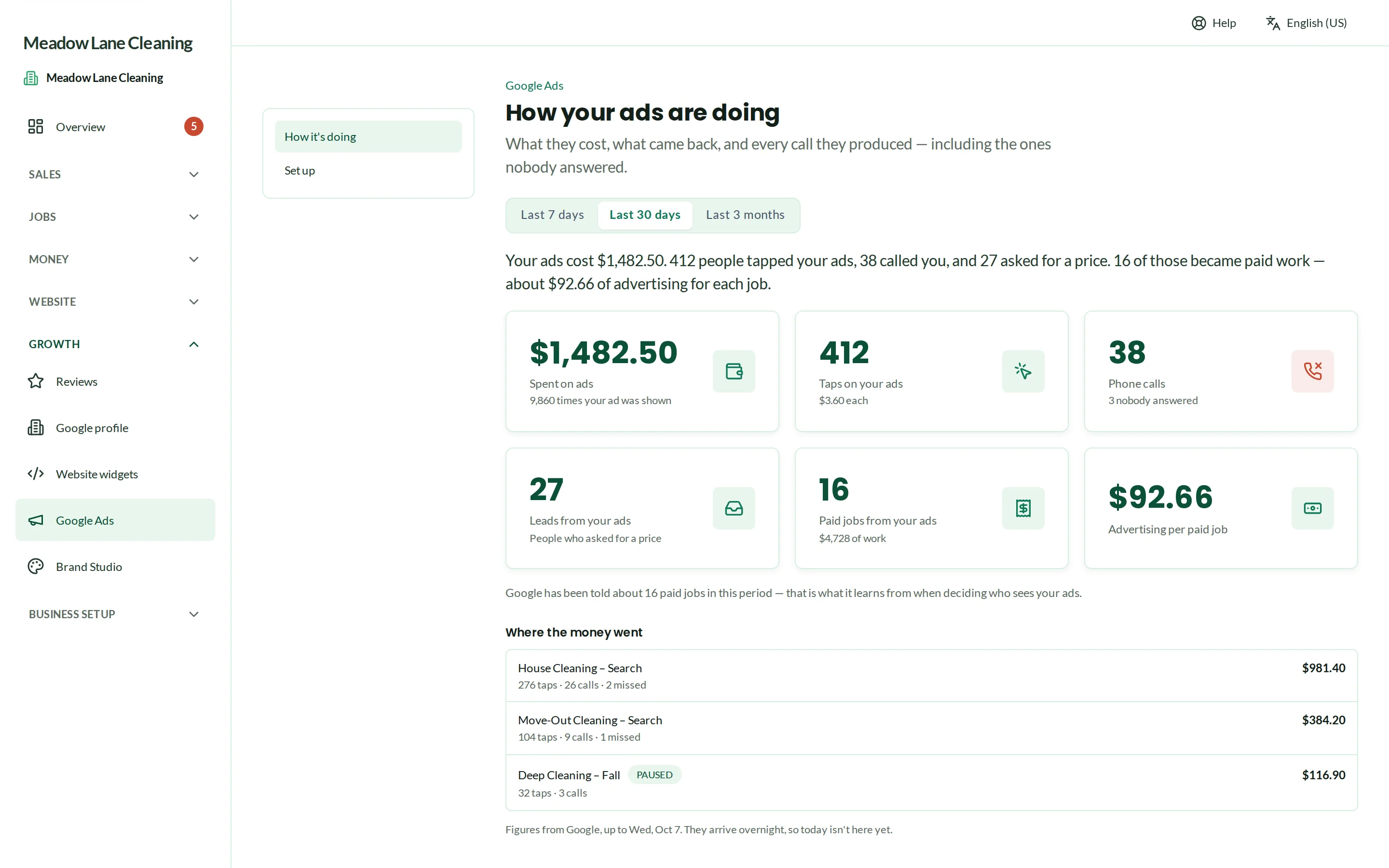
Real Crewbee screens · demonstration data
Google Ads tracking
Set up right the first time
It's easy to pay for clicks that never turn into bookings. With the add-on, an illustrated guide walks you through setting up your campaigns step by step, and Crewbee sets up the tracking an agency would: accept its invite in Google Ads, press one button, and paid jobs and calls start counting as sales.
- The kind of setup agencies charge over $2,000 for
- A Google tag on your quote and booking pages and your Crewbee website
Google Ads tracking
Sales, not just clicks
When a customer who came from an ad books and pays, that job goes back to Google Ads as a sale. Calls from ads count too.
- Works with customers' cookie choices
- Calls from ads in a log, missed ones included
Google Ads tracking
What the ads cost, beside what they brought
Spend comes in from Google Ads and sits next to the jobs and money it led to, so you can see whether an ad is paying its way.
- Leads from your website and quote form tied to the ad that sent them
Questions
Questions, answered
Do you run my ads?
What's in the setup guide?
Which plans can add it?
Do I need a Google Ads account?
Run your cleaning business from one place.
Every Pro feature · no card needed